









Test on YouTube
🎮 LGR Review: The Sims 1 & 2 Legacy Collection – Nostalgia Meets Modern PC in 2025
The Sims 1 & 2 Legacy Collection has officially returned. In this LGR review, we explore how EA has modernized these classic life-simulation games to work smoothly on modern systems, while preserving the charm that defined the series. Whether you’re revisiting your favorite memories or discovering them for the first time, here’s why this release matters in 2025.
🕰️ Immersive Classics, Reborn
From simming households to expanding families, this collection keeps the core fun intact. All original expansions for The Sims 1, like *Livin’ Large*, as well as major Sims 2 expansions (*Seasons*, *University*, etc.), are supported. LGR praises the faithfulness to the originals while allowing modern resolutions and smoother performance.
💻 Compatibility & Technical Polishing
One key challenge for remasters is running reliably on modern hardware. The Legacy Collection delivers this: it runs natively on Windows 10/11, supports widescreen resolutions, and maintains stable frame rates. For modders and longtime fans, mod directories and save file compatibility are mostly preserved. Just be careful with older expansion content that used custom patches.
🎨 Visuals, UI & Audio Experience
Graphically, the games remain nostalgic rather than state-of-the-art. But the UI improvements, clean menus, and preserved Simlish soundtrack breathe new life into the classics. LGR notes that even in 2025, the animations, ambient soundscapes, and quirky interactions still deliver delight.
📝 Verdict & Recommendation
The Sims 1 & 2 Legacy Collection isn’t reinventing the wheel — but it doesn’t need to. It’s a well-executed homage that lets both fans and newcomers enjoy these simulation gems without wrestling with compatibility issues. For the price, it’s a compelling choice for those who appreciate gaming history and creative sandbox play. 🏡
💡 You may also like
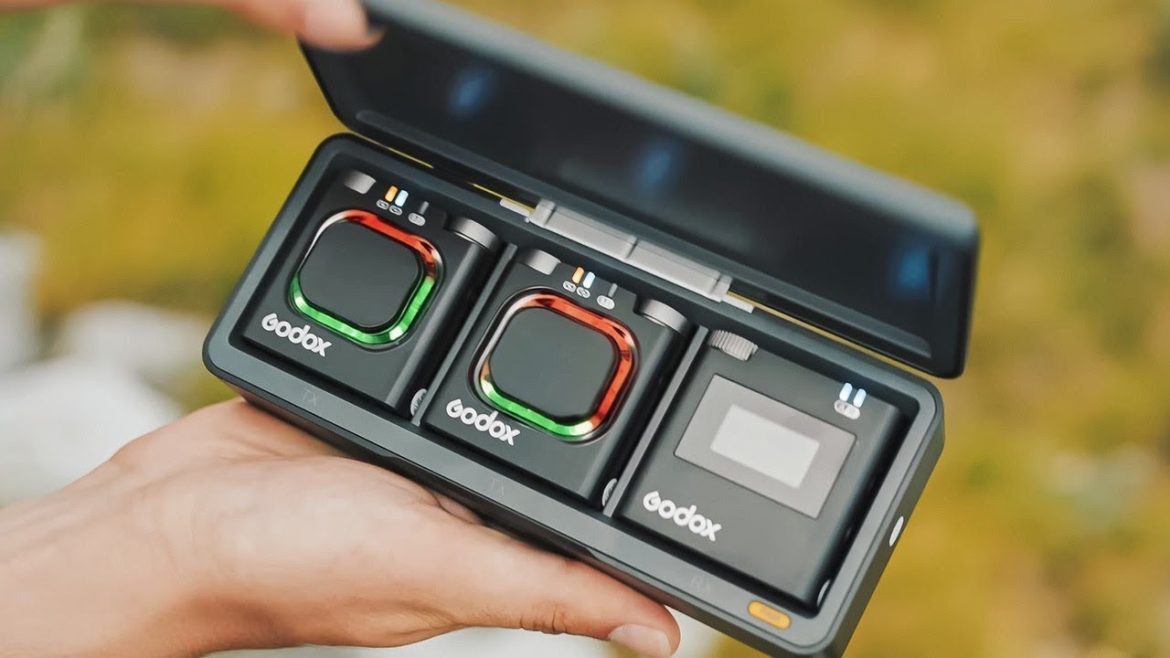
Explore essential portable tech for remote work — gear that complements your gaming and productivity setup.
🛒 Get the Sims Legacy Collection
Relive the classics — get The Sims 1 & 2 Legacy Collection and start building your virtual legacy today. 🏡 Buy Sims Legacy Collection 🎮 Explore Sims 2 Expansion Packs
As an Amazon Associate, we may earn from qualifying purchases.
🖥️ Upgrade Your Gaming Setup
Make the most of your retro gaming with modern accessories — monitors, keyboards, audio gear, and more. 🖥️ Shop Curved Gaming Monitors ⌨️ Browse Retro Keyboards
As an Amazon Associate, we may earn from qualifying purchases.



Test on YouTube
🎶 Best Free DAWs 2025 – Top Music Production Software for Windows 💻
Looking to start producing music without spending a dime? In 2025, there are more powerful free DAWs (Digital Audio Workstations) than ever before.
Whether you’re a beginner making beats or a producer refining tracks, these free tools prove you don’t need expensive software to make professional-quality music.
🎛️ 1. Cakewalk by BandLab
Once a paid software (SONAR), Cakewalk is now completely free.
It offers full-scale recording, mixing, mastering, and VST plugin support — perfect for Windows users.
Why it stands out:
- Unlimited audio and MIDI tracks
- Pro mixing console and automation
- Native VST3 support and low-latency performance
🎹 2. Tracktion Waveform Free
Waveform Free delivers a modern interface and advanced features like automation, sampling, and modular mixing — without any paywall.
It’s fast, intuitive, and ideal for EDM or pop producers.
Highlights:
- Clean UI with drag-and-drop workflow
- Full MIDI editing and automation
- Works seamlessly with third-party VST plugins
🎧 3. LMMS (Linux MultiMedia Studio)
If you’re into beat-making, LMMS is an open-source favorite.
It’s lightweight yet powerful, featuring built-in instruments, pattern-based sequencing, and MIDI keyboard support.
Perfect for:
- Beginners learning sequencing and arrangement
- Creating electronic, hip-hop, or lo-fi beats
- Quick exporting and cross-platform use
🎵 4. Studio One Prime (by PreSonus)
Studio One Prime is the free version of the popular DAW used by professionals.
It has drag-and-drop workflow, built-in FX, and a simple layout — perfect for songwriters and podcasters.
Key features:
- Unlimited tracks (audio + instrument)
- Native effects and intuitive interface
- Upgrade path to Artist or Professional editions
🔊 5. Audacity
A timeless open-source editor that keeps improving.
While not a full DAW, Audacity is perfect for recording vocals, podcasts, and quick edits — a must-have tool in any setup.
Use it for:
- Voice recording and mixing
- Audio clean-up and effects
- Exporting multiple file formats easily
💡 Pro Tips for Beginners
- Use ASIO4ALL drivers on Windows for low latency.
- Combine free VST plugins like Spitfire Labs or Vital Synth for better sound design.
- Keep your projects backed up — free DAWs sometimes have limited autosave features.
- Start simple: learn one DAW well before jumping to others.
🎁 Build Your Home Studio Setup
🎧 Essential Gear for Music Producers
Take your free DAW to the next level with affordable studio equipment. Check out our recommended picks below:
🎤 👉 Best USB Microphones on Amazon
🎹 👉 MIDI Keyboards for Beginners
🎧 👉 Studio Monitoring HeadphonesThis page contains affiliate links. We may earn a small commission at no additional cost to you when you make a purchase through these links.
🔗 Related Article