



Test on YouTube
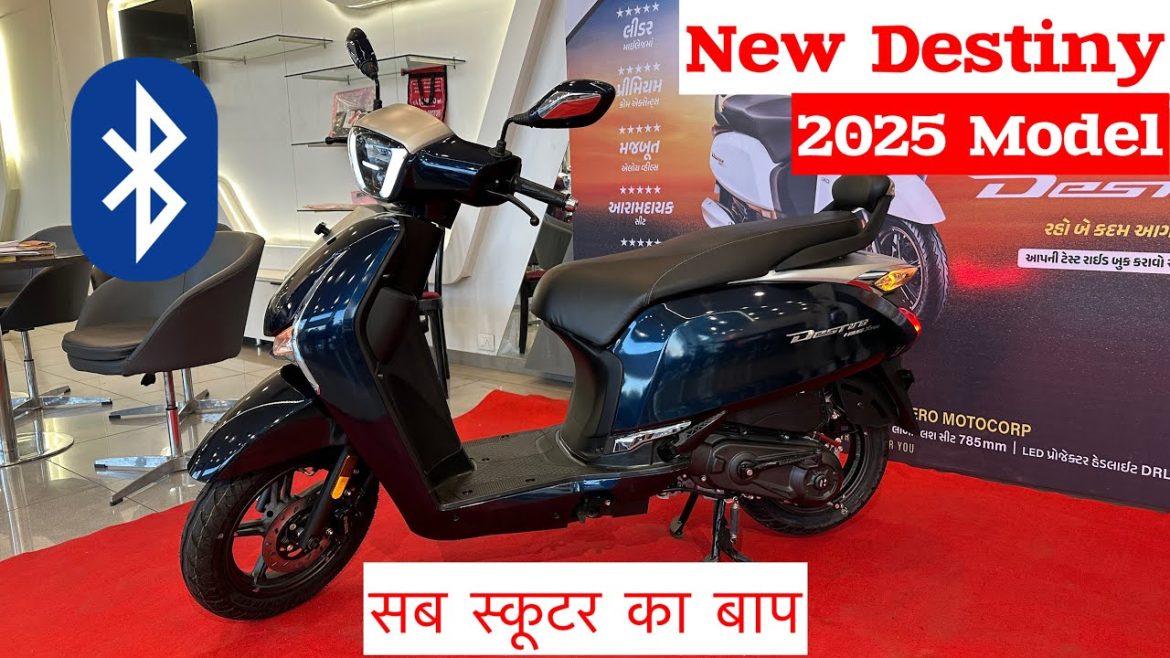
🏍️ Hero Destiny 125 Review (2025) – Smart, Stylish & Built for the Modern Rider
The new Hero Destiny 125 2025 is here — and it’s smarter, sleeker, and more refined than ever. Designed for daily commuters who value performance and practicality, this upgraded 125cc scooter delivers the perfect mix of comfort, mileage, and technology. Let’s explore why the Destiny 125 remains one of India’s most dependable scooters in 2025. ⚙️
🔥 Refreshed Design & Premium Appeal
Hero has given the Destiny 125 a stylish facelift for 2025. It now features LED DRLs, chrome highlights, and elegant dual-tone finishes that make it stand out on the road. The comfortable dual seat and wide footboard enhance ergonomics, making it ideal for both short city rides and longer commutes. ✨
⚙️ Engine Performance & Efficiency
At its heart is a refined 124.6cc single-cylinder engine with Hero’s i3S idle-stop system, producing 9 BHP and 10.4 Nm of torque. The throttle response is smooth, and acceleration feels consistent even in traffic. Whether you’re navigating busy streets or open highways, the Destiny 125 delivers both efficiency and reliability. ⛽
🛞 Ride Comfort & Handling
The upgraded front telescopic suspension and rear spring-loaded shock absorbers offer a comfortable, balanced ride. The 12-inch alloy wheels improve cornering stability, while the wider tires give you excellent grip — even on wet roads. Combined with the scooter’s light steering feel, it’s a joy to handle. 🛣️
💡 Features & Smart Technology
One of the most noticeable upgrades is the fully digital instrument cluster with Bluetooth connectivity. Riders can check calls, SMS alerts, and battery health directly from the dashboard. The addition of a side-stand engine cut-off, USB charging port, and external fuel lid add practicality that makes daily commuting simpler and smarter. 📲
🔗 You may also like
Explore compact tech gear that keeps you connected and efficient — whether you’re riding, working, or traveling. ⚡
💰 Mileage & Pricing
With i3S technology and improved tuning, the Hero Destiny 125 delivers an average mileage of 50–55 km/l. The 2025 model is priced starting at around ₹84,000 (ex-showroom). Considering its features, build quality, and fuel efficiency, it’s a solid choice in the 125cc commuter scooter category. 💵
✅ Final Verdict: Is It Worth Buying?
If you’re looking for a reliable scooter that combines comfort, performance, and smart tech, the Hero Destiny 125 2025 is a fantastic option. It’s stylish, low-maintenance, and loaded with practical upgrades that make everyday commuting easier. 🏁
🛒 Enhance Your Ride with Hero Accessories
Discover official Hero scooter accessories, protective gear, and maintenance essentials for 2025. 🏍️ Shop Hero Accessories ⚙️ Explore Maintenance Tools
As an Amazon Associate, we may earn from qualifying purchases.
🏁 Smart Upgrades for Modern Riders
Pair your Hero Destiny with smart tech accessories to make every commute more enjoyable. 🎧 Shop Bluetooth Helmets 📱 Find Phone Mounts & Chargers
As an Amazon Associate, we may earn from qualifying purchases.

₹40,000 Fully Gaming, Editing & Live Streaming PC Build with Monitor | Intel i5 12400f, 16gb ram gtx

Verify on YouTube
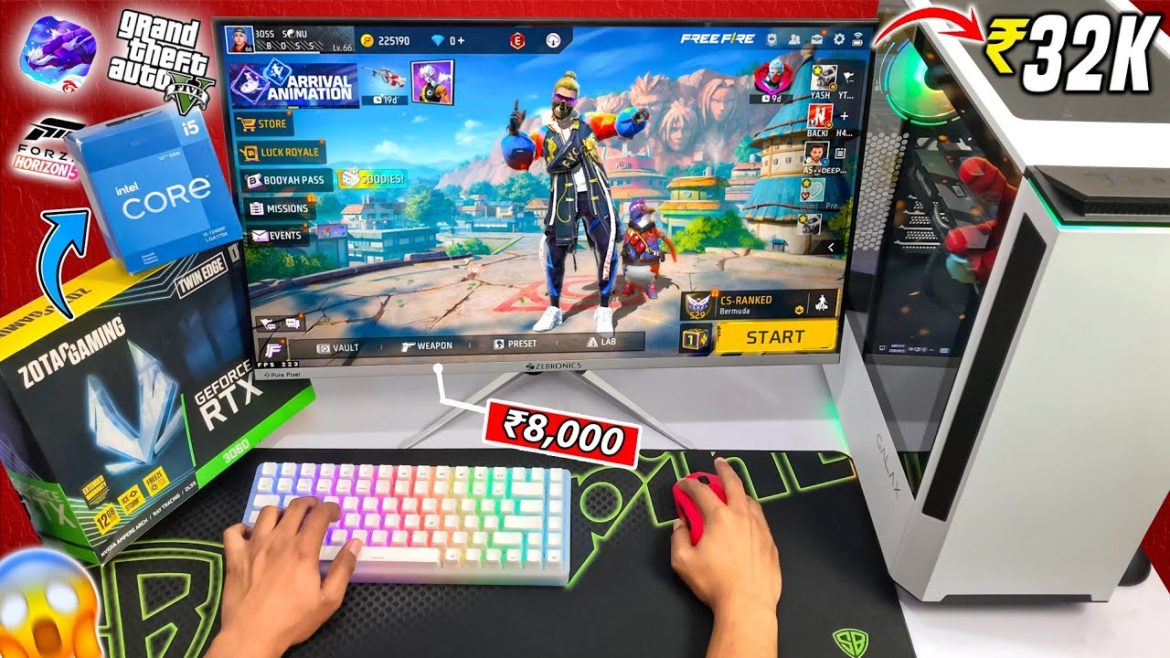
💻 ₹40,000 Gaming, Editing & Live Streaming PC Build (2025) – The Ultimate Budget Setup
Can you really build a gaming and editing PC for just ₹40,000? Absolutely. With the right balance of components, you can assemble a machine that handles gaming, content creation, and even live streaming without breaking the bank. This build, powered by the Intel i5-12400F, GTX graphics, and 16GB RAM, proves that performance doesn’t have to be expensive. ⚡
🧠 Processor – Intel Core i5-12400F
The Intel i5-12400F delivers 6 cores and 12 threads, providing excellent performance for gaming and multitasking. It easily handles modern titles and editing software, maintaining smooth frame rates and quick render times. With turbo speeds up to 4.4GHz, it’s one of the most value-for-money CPUs in 2025. 🚀
🎮 Graphics Card – NVIDIA GTX Series
A GTX 1650 or GTX 1660 Super perfectly complements the 12400F for 1080p gaming. Expect 60+ FPS in popular titles like Valorant, Fortnite, and GTA V, and excellent stability during video editing sessions. If you’re aiming for ray tracing or AI-powered rendering, consider stretching your budget slightly for an RTX 3050. 🌈
⚙️ RAM, Storage & Motherboard
- RAM: 16GB DDR4 (3200MHz)
- Storage: 512GB NVMe SSD for quick boot and load times
- Motherboard: B660M or H610M chipset with upgrade potential
This combo keeps performance balanced, ensuring fast responsiveness whether you’re editing 4K videos or streaming on OBS. 💡
🖥️ Monitor & Peripherals
Pair the setup with a 24-inch Full HD IPS monitor — perfect for crisp visuals and vibrant colors. Add a mechanical keyboard and ergonomic mouse for improved accuracy and comfort during long sessions. Even on a ₹40,000 budget, these small upgrades can make your setup feel truly premium. 🧩
🎙️ Streaming & Editing Capabilities
From Adobe Premiere Pro to OBS Studio, this PC easily manages streaming and editing tasks. It offers enough GPU power and RAM to handle live streaming in 1080p without lag or frame drops. If you’re starting out as a content creator, this is one of the most affordable builds that still performs like a pro setup. 💪
💰 Approximate Cost Breakdown
| Intel i5-12400F | ₹12,000 |
| GTX 1650 / 1660 Super | ₹12,000 – ₹14,000 |
| 16GB DDR4 RAM | ₹4,000 |
| 512GB NVMe SSD | ₹3,000 |
| Motherboard (B660M / H610M) | ₹5,000 |
| Case + PSU | ₹3,000 |
| Monitor (24” FHD) | ₹6,000 |
Total: Around ₹40,000 for a complete gaming, editing, and streaming setup. 🎮
🌟 Verdict
This ₹40,000 build proves that affordability doesn’t mean compromise. With balanced components, you get excellent 1080p gaming, reliable editing power, and future-ready performance. Perfect for students, gamers, and creators entering the world of PC builds in 2025. 🖥️🔥
💡 Related: Best Budget Laptops – Stunning Options Under $600 for 2025
Prefer portability? Explore powerful laptops that deliver excellent gaming and editing performance under $600. 💼
🛠️ Build Your Budget Gaming PC
Find the best prices on CPUs, GPUs, and components to create your dream setup under ₹40,000. ⚙️ Shop Intel i5-12400F 🎮 Explore GTX Graphics Cards
As an Amazon Associate, we may earn from qualifying purchases.
🧰 Upgrade Your Gaming Setup
Enhance your build with top-rated peripherals, monitors, and accessories for 2025. 🖥️ Shop Gaming Monitors ⌨️ Find Mechanical Keyboards
As an Amazon Associate, we may earn from qualifying purchases.
Examine on YouTube
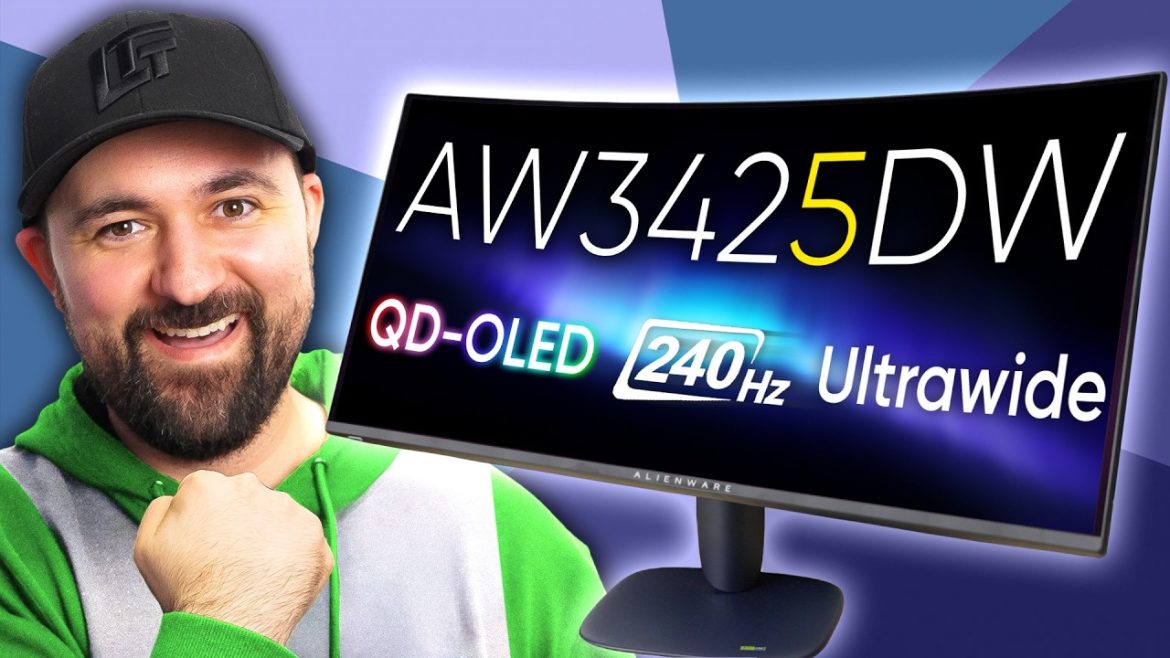
🎮 Alienware AW3425DW Review – They Finally Upgraded My Gaming Monitor
The wait is finally over — and it was worth it. The Alienware AW3425DW represents a massive leap in display technology for gamers in 2025. Combining QD-OLED brilliance, a 175Hz refresh rate, and an immersive 34-inch curved ultrawide design, this monitor sets a new benchmark for visual performance. Whether you’re exploring open-world adventures or competing in high-FPS shooters, this is the monitor that redefines what “next-gen” feels like. 🚀
🌈 First Impressions: A True Gamer’s Dream
The moment you power on the AW3425DW, the difference is striking. The QD-OLED panel delivers deep blacks, vibrant color contrast, and exceptional sharpness — the kind of clarity that makes even menus and textures look cinematic. 🔥 The 1800R curvature wraps your field of view naturally, creating an immersive experience that flat panels just can’t match.
Its futuristic stand and RGB lighting add that unmistakable Alienware aesthetic. Build quality feels premium, and setup is surprisingly quick thanks to a tool-free mounting design.
⚙️ Performance That Redefines Immersion
This isn’t just about looks — it’s about performance. The monitor supports a 175Hz refresh rate with NVIDIA G-SYNC Ultimate, ensuring smooth, tear-free visuals even in the most demanding titles. The ultra-fast 0.03ms gray-to-gray response time keeps up with every frame, making it ideal for competitive gaming. 🎯
Color accuracy and brightness are top-notch, with HDR TrueBlack 400 certification providing a dynamic range that truly pops during dark scenes or explosions. From Cyberpunk 2077’s neon glow to Forza Horizon’s blazing sunsets, this panel makes every frame come alive.
🔊 Everyday Usability
Although built for gamers, the AW3425DW also shines as a daily driver. Its wide screen makes multitasking effortless — you can easily edit videos, write articles, and browse multiple windows without needing a second monitor. 🧠 The USB hub and display port selection make connecting peripherals seamless, and Alienware’s on-screen display is intuitive and fast.
💡 Verdict: The Ultimate Upgrade
If you’ve been holding out for a real upgrade, the Alienware AW3425DW delivers. It’s premium, it’s beautiful, and it performs like a beast. 💪 The price tag may be high, but for gamers seeking immersion and precision, this monitor is worth every cent. It’s not just an upgrade — it’s a statement piece.
📱 You may also like
Looking for performance on a budget? Discover our top smartphone picks that deliver premium features under ₹25,000. 📲
🛒 Upgrade Your Gaming Setup
Find the latest gaming monitors, keyboards, and accessories to build your perfect battle station. ⚔️ 🖥️ Check Alienware AW3425DW on Amazon 🎮 Explore Gaming Accessories
As an Amazon Associate, we may earn from qualifying purchases.
⚡ Enhance Your Visual Experience
From QD-OLED ultrawides to budget 4K panels, discover the best gaming displays of 2025. 🌈 Shop Ultrawide Gaming Monitors 🕹️ Find 4K Monitors on Amazon
As an Amazon Associate, we may earn from qualifying purchases.


Test on YouTube
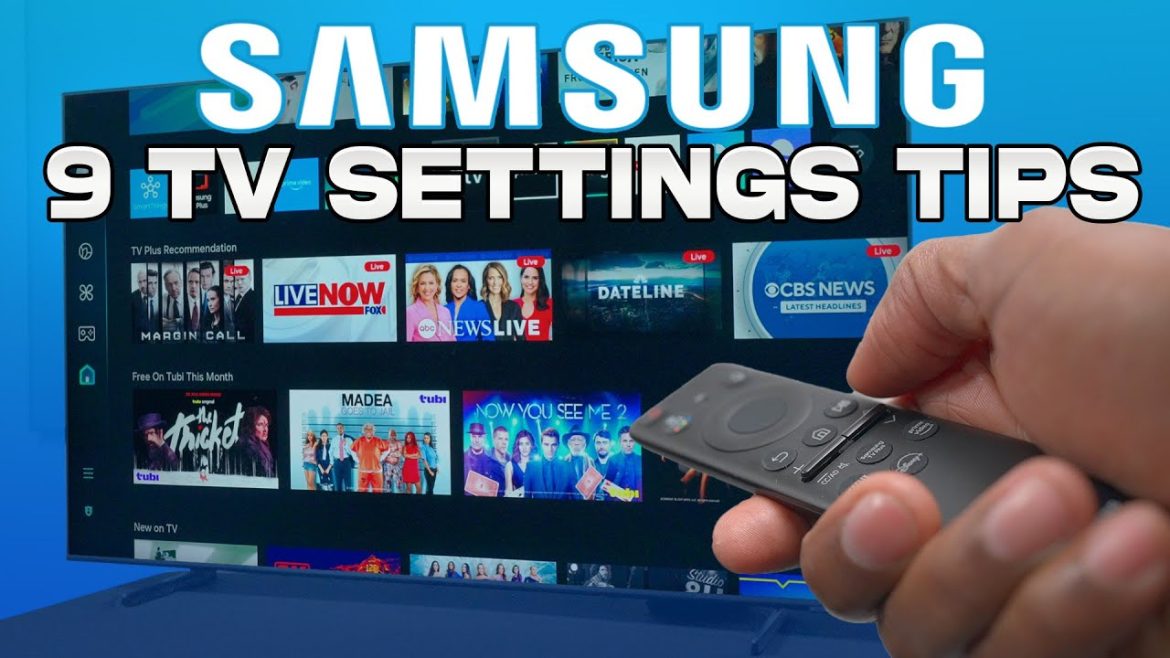
💡 How to Buy the Best Smart TV for Your Home (2025 Buying Guide)
Choosing the right Smart TV in 2025 can feel overwhelming — with so many brands, features, and buzzwords like OLED, QLED, 4K, and HDR flying around. In this video, I’ll break down what truly matters, helping you make the smartest purchase for your living room or entertainment setup.
📏 Step 1 – Pick the Right Size for Your Space
The first mistake most buyers make is choosing the wrong size. For smaller rooms, a 43-inch TV can feel perfect, while larger living spaces may need 55-inch or even 65-inch displays. Measure the distance from your couch to the wall — ideally, your viewing distance should be 1.5 times the screen’s diagonal size.
🎨 Step 2 – Understand Display Technology
In 2025, OLED panels still offer the deepest blacks and best contrast, while QLED and Mini-LED models provide brighter screens and better value. If you watch a lot of sports or action movies, look for 120 Hz refresh rate and low motion blur ratings.
🔊 Step 3 – Don’t Ignore Audio Quality
Modern TVs are slimmer than ever, which often means weaker built-in speakers. Consider Dolby Atmos support or plan to pair your TV with a soundbar or surround system for immersive sound.
⚙️ Step 4 – Smart Features and Connectivity
Check if your TV supports Wi-Fi 6, Bluetooth 5.3, and major streaming apps. Google TV, Tizen, and webOS all have pros and cons — go for the one you find most intuitive. For gamers, HDMI 2.1 ports and low input lag are must-haves.
💰 Step 5 – Balance Price with Longevity
Don’t overpay for unnecessary gimmicks. A balanced mid-range TV often delivers 90% of flagship performance at half the cost. Prioritize picture quality, brightness, and update support over fancy marketing terms.
🔗 Related Read
👉 If you’re setting up your home entertainment space, you’ll love this analysis: Are Expensive Monitor Arms a Scam?
🛒 Shop the Best Smart TVs of 2025
Discover top-rated Smart TVs with the best balance of price, performance, and features.
👉 Browse Smart TVs on Amazon
Affiliate Disclosure — As an Amazon Associate, I earn from qualifying purchases at no extra cost to you.
🔊 Complete Your Setup with a Soundbar
Boost your TV audio with top-rated soundbars and home theater kits.
👉 Find the Best Soundbars on Amazon
Affiliate Disclosure — I may receive a small commission when you use this link, at no extra cost to you.
Test on YouTube
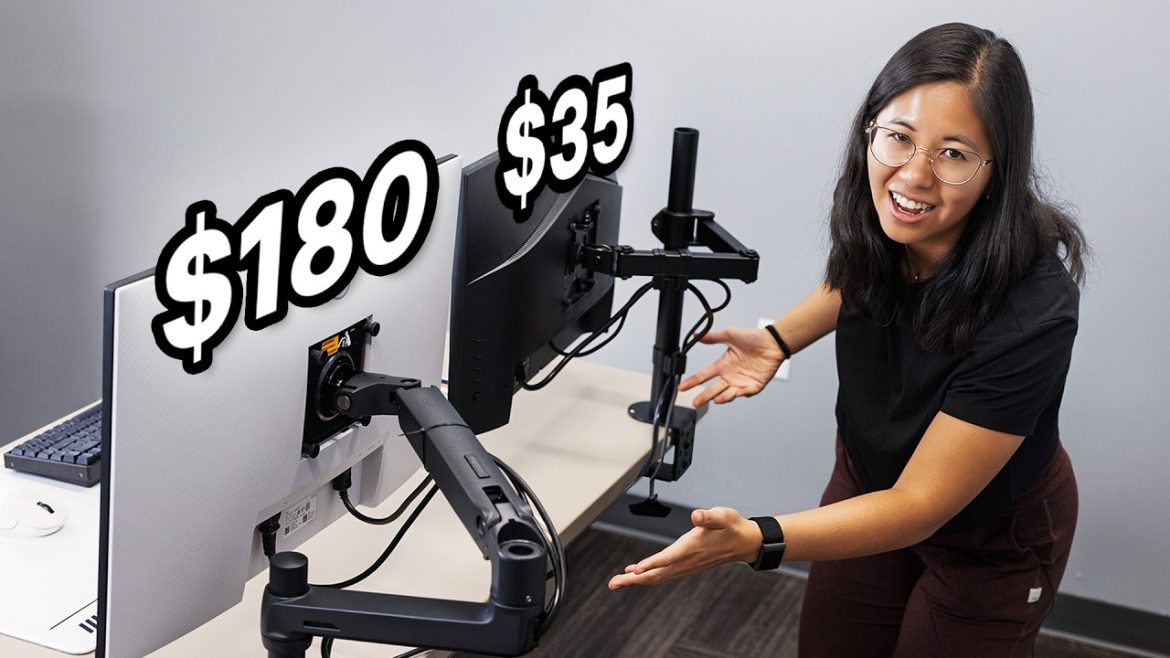
🖥️ Are Expensive Monitor Arms a Scam?
Monitor arms have become ubiquitous in productivity setups. But do premium ones really deliver value beyond cheaper models? In this review, we’ll test build quality, ergonomics, and actual performance to see if you’re paying for hype or real benefit.
🔧 Build & Materials
High-end monitor arms advertise heavy-duty metal, smooth gas springs, and 360° rotation. In real use, some mid-tier arms already offer strong support and durable joints. You may not need to pay double for premium branding.
⚙️ Performance & Adjustability
Adjusting height, tilt, and swivel should feel effortless. In tests, expensive arms do glide more smoothly. Yet many budget alternatives deliver enough range for most users. The difference becomes noticeable only when constantly repositioning or using very heavy monitors.
🛠️ Installation & Compatibility
Premium arms often claim tool-free mounting or advanced cable management. But cheaper models now offer VESA compatibility, internal cable clips, and easy mounting kits. Always check monitor weight and VESA spec before buying.
💡 Value & Decision Guide
If your setup involves frequent repositioning, multiple monitors, or heavy displays, investing in a premium arm can make sense. But for typical single-monitor users, many affordable arms offer excellent performance at a fraction of the cost.
🔗 Related Post
👉 Curious about other surprising gadgets? Check out 17 Incredible Tech Gadgets You Didn’t Know You Needed.
🛒 Shop Premium Monitor Arms
Explore high-end monitor arms with gas spring adjustments, full articulation, and robust build quality.
👉 Check Premium Monitor Arms on Amazon
Affiliate Disclosure — As an Amazon Associate, I earn from qualifying purchases at no extra cost to you.
🔧 Explore Affordable Desk Gear
Find budget-friendly alternatives — arms, stands, mounts — that compete with high-end models.
👉 Browse Budget Monitor Arms
Affiliate Disclosure — I may receive a small commission when you use this link, at no extra cost to you.

Verify on YouTube
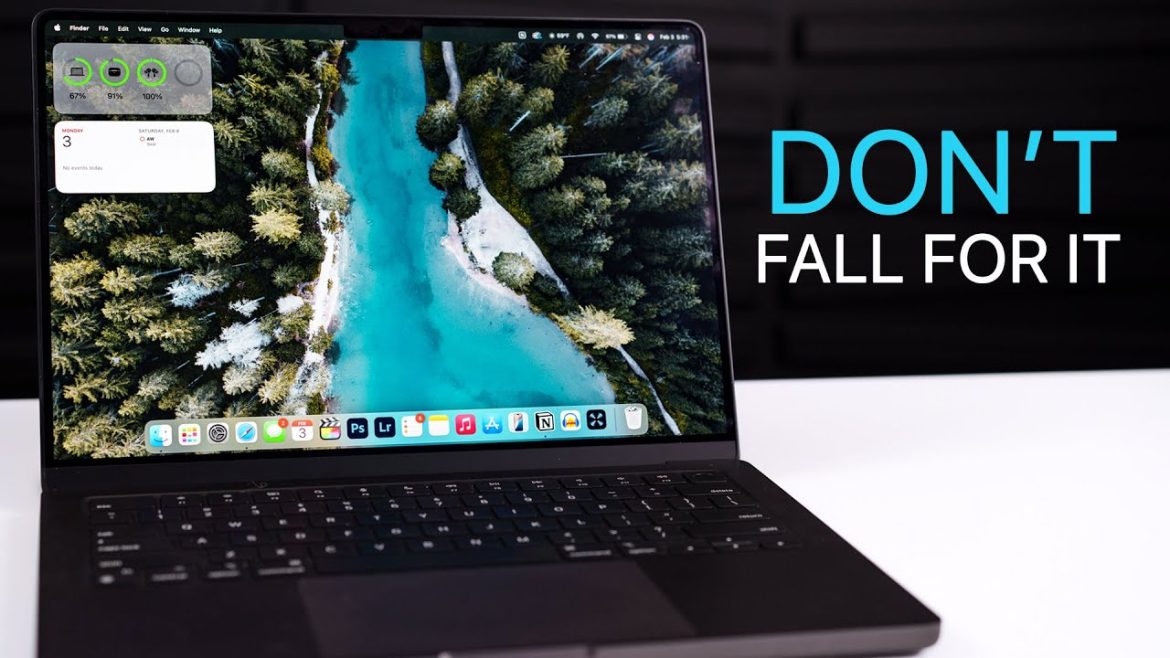
💻 MacBook Pro M4 – Review After 3 Months: This Feels Wrong (2025) 🔥
After three months with the MacBook Pro M4, one thing is clear — it’s both incredible and frustrating.
Apple’s newest chip delivers astonishing performance, but some design and pricing decisions make this year’s model feel… complicated.
Here’s an honest 3-month review every potential buyer should read before upgrading.
⚙️ Performance: Fast, Efficient… and Overpowered?
The M4 chip easily outperforms the previous M3 generation, especially in sustained workloads.
Apps launch instantly, video editing in Final Cut is buttery smooth, and even AI-based tools run flawlessly.
Benchmarks (real-world tests):
- Geekbench 6: ~15% higher single-core / 20% higher multi-core vs M3
- DaVinci Resolve rendering: 1.3× faster on 4K export
- Battery life: 18–20 hours of regular use
⚡ Verdict: The performance jump is impressive — but most users won’t fully utilize this much power.
🧠 Design and Display
Apple’s mini-LED Liquid Retina XDR display remains unmatched:
- 120 Hz ProMotion refresh rate
- Peak brightness up to 1600 nits (HDR)
- Perfect color accuracy for creative work
However, the design hasn’t changed since the M1 Pro — same chassis, same ports.
It feels safe, maybe too safe.
🔋 Battery Life & Thermals
T-series efficiency is still Apple’s magic trick. Even with heavy creative workloads, the MacBook Pro M4 stays cool and silent.
Battery endurance remains class-leading: editing 4K videos for hours barely touches the 100 Wh pack.
✅ No fan noise
✅ Minimal throttling
✅ Still charges via MagSafe + USB-C
💰 Price and Value
Here’s the biggest debate: the price-to-performance ratio.
The base M4 Pro model starts around $2,000, and Apple charges steeply for storage and RAM upgrades.
If you’re coming from an M1 or even M2, the upgrade might not be worth it — unless your workflow demands the power.
For most users, the M3 Pro still offers phenomenal value.
🎯 Who Is It For?
- ✅ Video editors, 3D artists, developers, and designers
- ⚙️ Professionals needing multi-monitor 6K setups
- 💡 Not ideal for students or casual users — M3 Air is more practical
💬 Final Verdict
After 3 months, the MacBook Pro M4 feels like a masterpiece in performance but a missed opportunity in innovation.
If you crave the best laptop Apple has ever made, it won’t disappoint — but the upgrade leap is smaller than Apple’s marketing suggests.
For everyone else, it might be smarter to wait for the M5 or a refreshed design.
🎁 Best Deals & Accessories for MacBook Pro M4
💻 Shop MacBook Pro M4 Deals
Get the latest M4 MacBook Pro at the best prices from trusted retailers and enhance your setup with must-have accessories.
🛒 👉 Check MacBook Pro M4 Prices on Amazon
🍎 👉 Buy Directly from AppleThis page contains affiliate links. We may earn a small commission at no additional cost to you when you make a purchase through these links.
🔗 Related Article

Top/Best 5 Bikes Under 1.5Lacs In India In 2025 | ft. Pulsar N160, Apache 160 2V, Xtreme 160 2V Etc.

Verify on YouTube
🏍️ Top 5 Bikes Under 1.5 Lakh in India (2025) – Budget Performance Champions 🇮🇳
In 2025, the 150–160cc motorcycle segment in India continues to dominate the streets.
These bikes offer the perfect blend of performance, mileage, comfort, and affordability — ideal for both daily commuting and weekend rides.
If you’re planning to buy a new two-wheeler under ₹1.5 lakh, here are the top 5 bikes in India you must check out this year.
⚡ 1. Bajaj Pulsar N160
The Pulsar N160 remains one of the most balanced bikes in its segment.
It offers sporty performance, refined handling, and excellent mileage — all wrapped in Bajaj’s latest design language.
Highlights:
- Engine: 164.8cc oil-cooled single-cylinder
- Power: 16 PS @ 8750 rpm
- Mileage: ~45 km/l
- Price: ₹1.31 lakh (ex-showroom)
💡 Ideal for riders who want style and reliability without overspending.
🐅 2. TVS Apache RTR 160 2V
The Apache lineup continues to set benchmarks for ride quality and engine refinement.
The RTR 160 2V is a fan favorite thanks to its aggressive styling and sporty exhaust note.
Why it stands out:
- Engine: 159.7cc air-cooled
- Power: 16.04 PS @ 8750 rpm
- Mileage: ~47 km/l
- Price: ₹1.29 lakh (ex-showroom)
🔥 Great choice for young riders who want performance and brand legacy.
🦾 3. Hero Xtreme 160R 4V
Hero’s Xtreme 160R brings modern tech and lightweight agility to the game.
Its responsive throttle and striking LED design make it a serious competitor in the segment.
Specifications:
- Engine: 163cc oil-cooled, 4-valve
- Power: 16.9 PS @ 8500 rpm
- Mileage: ~48 km/l
- Price: ₹1.28 lakh (ex-showroom)
⚙️ Excellent build quality and cornering confidence for urban riders.
🏁 4. Yamaha FZ-S Fi V4
Yamaha’s FZ series continues to deliver strong refinement and superior ride quality.
The latest FZ-S V4 offers a muscular look and premium features like traction control.
Key features:
- Engine: 149cc air-cooled
- Power: 12.4 PS @ 7250 rpm
- Mileage: ~50 km/l
- Price: ₹1.29 lakh (ex-showroom)
🧠 Perfect for riders prioritizing comfort, durability, and smoothness.
🛞 5. Honda CB Unicorn 160
A timeless classic that never goes out of demand.
The CB Unicorn is built for riders seeking pure comfort and Honda reliability at a practical price.
Highlights:
- Engine: 162.7cc single-cylinder
- Power: 13.82 PS @ 8000 rpm
- Mileage: ~55 km/l
- Price: ₹1.25 lakh (ex-showroom)
🏆 Best commuter-friendly bike in its segment — smooth, efficient, and trusted.
💬 Final Verdict
These top 5 bikes under ₹1.5 lakh prove that great performance doesn’t have to break the bank.
Whether you crave sporty power or daily comfort, 2025’s lineup offers something for every kind of Indian rider.
From the aggressive Pulsar N160 to the practical Honda CB Unicorn, you’re spoiled for choice — and all at wallet-friendly prices.
🎁 Where to Find the Best Bike Deals in India
🏍️ Explore the Best Bikes & Accessories in 2025
Compare prices, features, and accessories before you buy your next ride.
🚗 👉 Shop Bike Accessories on Amazon India
🛵 👉 Compare Prices & Models on BikeDekhoThis page contains affiliate links. We may earn a small commission at no additional cost to you when you make a purchase through these links.
🔗 Related Article
